


The thought of moving your entire online store from one platform to another is enough to give any business owner a headache. It feels like moving a massive physical warehouse—except instead of boxes, you’re moving years of customer data, product descriptions, and, most importantly, your hard-earned search engine rankings.
If you have a WooCommerce store but are tired of maintaining your store on this platform (constant plugin updates, patches for security, and fear for a “broken site”), it is likely that you currently use Shopify to achieve the best in usability. So the big question is – can you transition your site to this platform and not see your traffic from Google drop? The answer is yes, but you must have the precision of a surgeon to accomplish it. In this guide, we will walk through the essential steps of a woocommerce migration to shopify, why the right shopify development agencies are worth their weight in gold during this transition, and how to keep your SEO intact.
Why Migrate? The Shift from Maintenance to Growth
WooCommerce is a fantastic tool for those who love to tinker. However, as a business scales, “tinkering” becomes “liability.” Many merchants find that they are spending more time acting as IT support for their own site than actually selling products.
By migrating from woocommerce to shopify, you are moving to a hosted environment. The most important phase in migrating from Woocommerce to Shopify. Creating a 301 redirect is like filling out a “Change of Address” form for the internet. You will need to create a map so that search engines know exactly where your old page is located on the new site. If you don’t do this, you will lose all of your organic traffic almost immediately.
The SEO Survival Kit: How to Keep Your Rankings
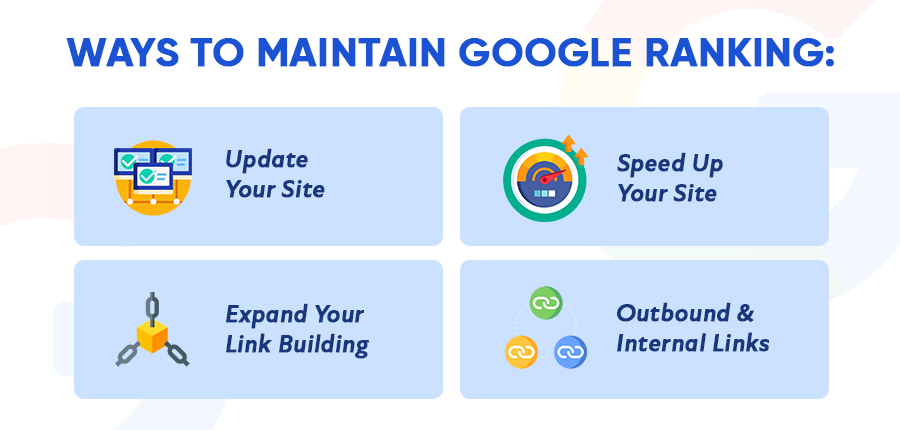
The biggest risk in any migration is “Link Rot.” This happens when your old WooCommerce URLs (like yourstore.com/product-category/shoes) don’t match the new Shopify structure (like yourstore.com/collections/shoes). If Google tries to find the old link and hits a 404 error, you lose the “SEO juice” that page built up over years.
1. Mapping Your 301 Redirects
The most important phase in migrating from Woocommerce to Shopify. Creating a 301 redirect is like filling out a “Change of Address” form for the internet. You will need to create a map so that search engines know exactly where your old page is located on the new site. If you don’t do this, you will lose all of your organic traffic almost immediately. The best shopify agency will usually handle this using automated tools combined with manual audits to ensure not a single link is missed.
2. Preserving Meta Data
Your page titles and meta descriptions are the “billboards” that show up in search results. During a migration, it is tempting to rewrite everything. Don’t do it yet. To maintain stability, you should keep your metadata exactly the same during the initial move. Once the site is stable on Shopify and Google has indexed the new pages, then you can start optimizing for further growth.
3. Cleaning Up the Data Transfer
When you export data from WooCommerce, it often comes with “hidden” HTML code or messy formatting. If you simply copy-paste this into Shopify, your site speed will suffer. Shopify development agencies specialize in cleaning this data so that your new store is lean, fast, and follows Google’s Core Web Vitals guidelines.
Designing for Conversion: Beyond the Technicals

While SEO keeps the lights on, your design is what closes the deal. The move to Shopify is the perfect time to refresh your brand identity. Many businesses look for a specialized ecommerce web design Utah firm to create a bespoke look that doesn’t feel like a cookie-cutter template.
Shopify’s Liquid engine allows for incredibly fast load times and a seamless checkout experience. Since Google now uses mobile-first indexing, having a site that looks and feels premium on a smartphone is no longer optional—it is a ranking factor.
The Reality Check: Pros, Cons, and Common Hurdles
Every migration has its trade-offs. It is important to go into this transition with eyes wide open.
The Pros of Moving to Shopify
- Reliability: No more “White Screen of Death” caused by a rogue WordPress plugin update.
- Security: Shopify is PCI compliant out of the box, taking the burden of data security off your shoulders.
- Speed: Shopify’s global CDN ensures your images and pages load lightning-fast.
The Cons to Consider
- Monthly Fees: Unlike WooCommerce, which is “free” (minus hosting and plugins), Shopify has a recurring subscription.
- URL Structure: Shopify has a rigid URL structure (e.g., /products/ and /collections/). You cannot change this, which is why 301 redirects are so vital.
Frequently Asked Questions
Will my traffic drop at all during the migration?
It is normal to see a slight “jitter” in rankings for 1-2 weeks as Google recrawls the site. However, if the 301 redirects are handled correctly by a professional shopify development agency, your traffic should stabilize and often improve due to better site speed.
Can I move my customer passwords?
Unfortunately, no. For security reasons, passwords are encrypted. When you move to Shopify, your customers will typically need to “invite” themselves back to the store or reset their passwords to reactivate their accounts.
How long does a migration take?
For a small store, it can take a few days. For a large enterprise store with thousands of SKUs and complex SEO history, a proper migration usually takes 4 to 6 weeks to ensure every detail is perfect.
Finding the Right Partner
Success in a migration often comes down to who you have in your corner. Choosing the best shopify agency isn’t just about finding someone who can move data; it’s about finding a partner who understands the nuance of search intent and user experience.
Whether you are looking for local expertise in ecommerce web design Utah or a global powerhouse in development, ensure they have a proven “Migration Checklist.” A botched move is expensive to fix, but a well-executed one can be the catalyst that takes your business from five figures to six and beyond.

Conclusion: The Path Forward
Migrating from WooCommerce to Shopify is a significant milestone for any growing brand. It represents a shift from “managing a website” to “running a business.” While the technical hurdles—specifically regarding SEO—can be daunting, they are manageable with a strategic approach.
By prioritizing your 301 redirects, keeping your metadata consistent, and investing in a high-quality design, you can enjoy all the benefits of Shopify without sacrificing the organic growth you’ve worked so hard to achieve. Your store deserves a platform that scales as fast as your ambition. Ready to make the move? Prepare your data, map your links, and step into a more stable digital future.
